
Roof to quote at the kitchen table.
Solar Designer is solar design and quoting software for New Zealand installers. Type the address and trace the roof on aerial imagery. It lays out the panels, works out the output and the customer’s business case, then sends the quote to Fergus.
- Your brand, your web address
- Works with Fergus
- LINZ aerial imagery
- Built in Auckland
How does Solar Designer work?
Five steps, one sitting. The same sample job runs from top to bottom of this page, and every figure in it comes from Solar Designer’s own engine.
-
Start with the address
Start a quote with the customer’s name, address and yearly power use. Solar Designer finds the address and opens the roof on LINZ aerial imagery, the national aerial photography from Land Information New Zealand.
- Open designs, quotes out and recent jobs on one home screen.
- Search any past job by address or customer.
- Designs that can’t be priced yet are flagged, with the reason.
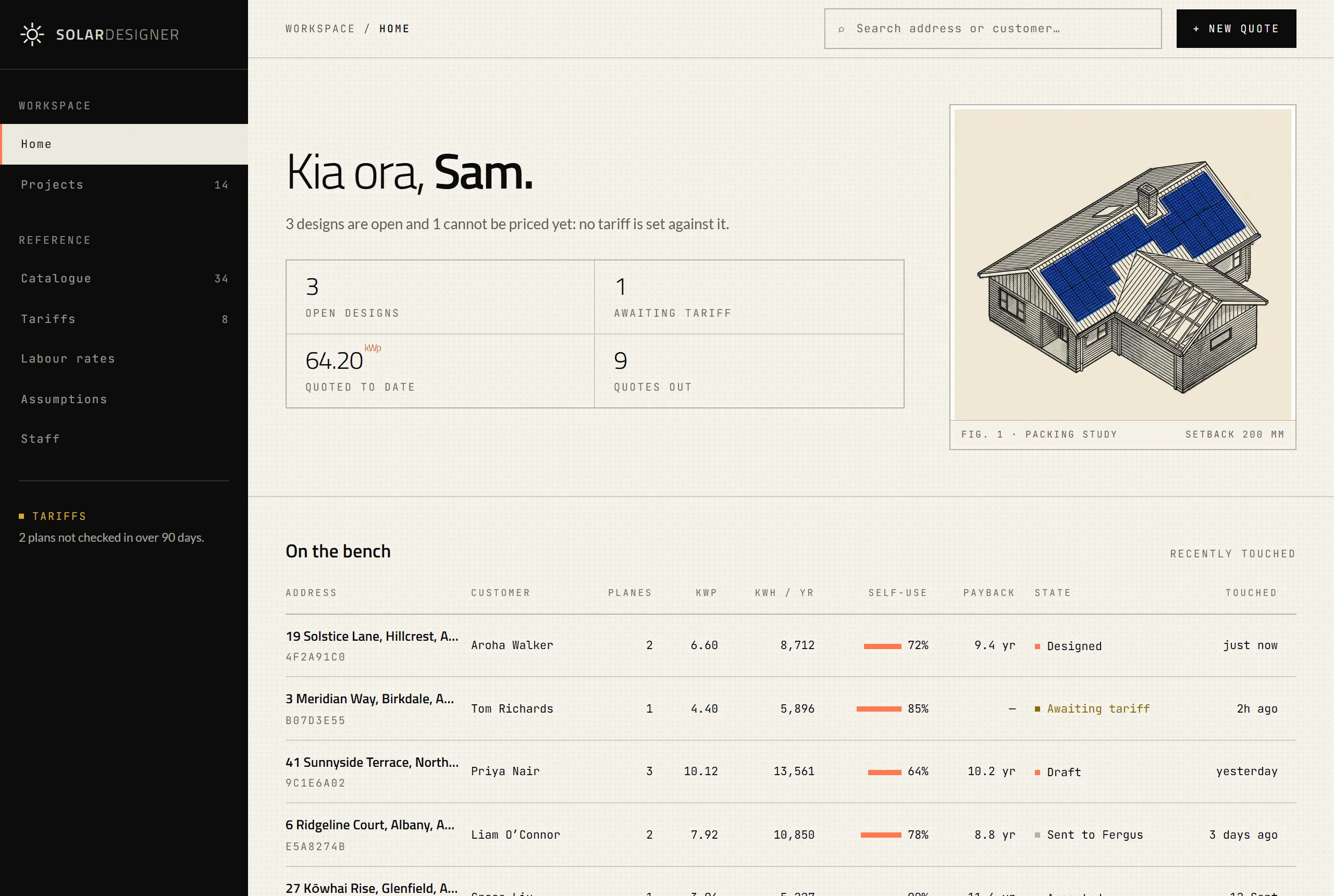
Fig. 2Home screen Shown with sample projects -
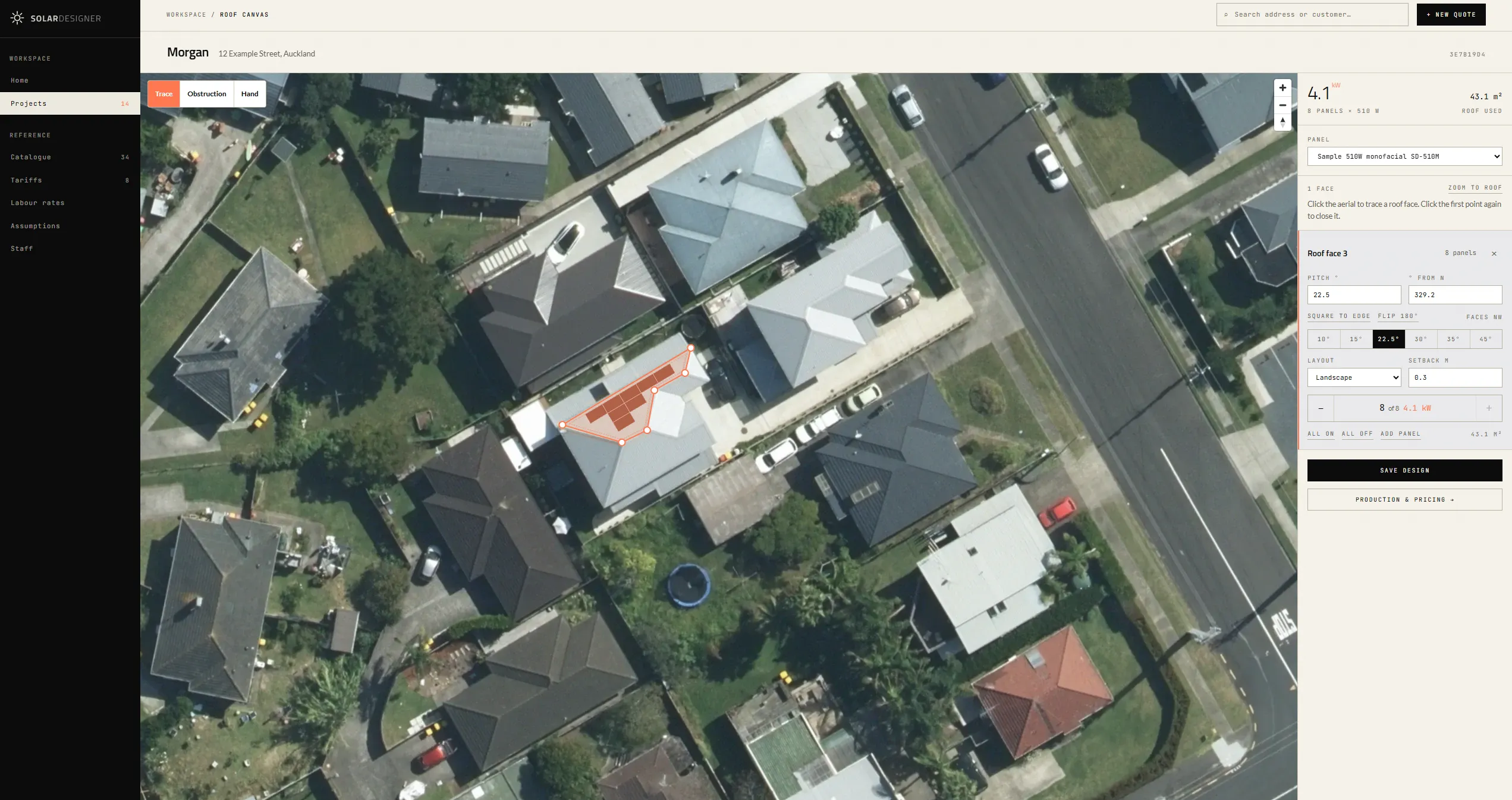
Trace the roof. The panels lay themselves out.
Click around each roof face. As soon as it closes, Solar Designer reads which way the face points, keeps the setback from every edge, steps around the vents and skylights you’ve marked, and fills it with panels in whichever orientation fits more.
Change the angle of the panels and the layout and the output follow. Try it on the sample roof.
Trim the count from the ridge down, or move and rotate a panel by hand. Anything that lands off the roof is outlined in red.
Fig. 3Layout engine 22.5° pitch · facing north-west, 329°The roof face traced in the canvas above, laid out by Solar Designer at each angle, with yearly output worked out for the site. The angle is the face’s pitch as set in the app: a steeper face has more roof over the same footprint, so it can fit more panels. Panel angle
Facing
- Panels
- 8 × 510 W
- System
- 4.08 kWp
- Yield
- 1,376 kWh per kW
- Output
- 5,615 kWh a year
-
The sun does the maths. You make the case.
Output is worked out for every roof face from its pitch, the way it faces and the sun over that site, using long-term solar data for the location. Pick a power plan or use the rates off the customer’s bill, and Solar Designer builds the business case: price, year-one saving, payback and 25 years of cashflow.
- System
- 4.08 kWp, 8 panels
- Price, incl. GST
- $10,900
- Output, first year
- 5,615 kWh
- Generates
- 83% of the household’s use
- Saving, first year
- $1,179
- Pays for itself in
- 8.9 years
- Savings over 25 years
- $33,225
Savings over 25 years, against the price
Output by month, kWh
Fig. 4Business case Sample job, over 25 yearsSample job, worked out by Solar Designer’s financial model: the roof face above at a sample price and a sample power plan of 30c per kWh in and 12c per kWh out, 6,800 kWh a year of household use, half the solar used at home. Panels lose 0.5% of output a year and power prices rise 2% a year. Savings are shown before the price is taken off. -
Your brand on every page.
The proposal goes out in your name, not ours: your logo, your colours, your contact details and your wording, from a web address that’s yours. The app your team uses carries your brand too.
- A cover with the roof and the panels on it.
- The recommended system, face by face.
- Your equipment, with warranties.
- Performance against the household’s own power use.
- The savings, the payback and the assumptions behind them.
- Carbon saved, and your terms.
The customer sees the total price, including GST. Your costs, margins and labour stay inside the app.
Every proposal is frozen and versioned when it’s made, so editing your catalogue never changes one you’ve already sent.

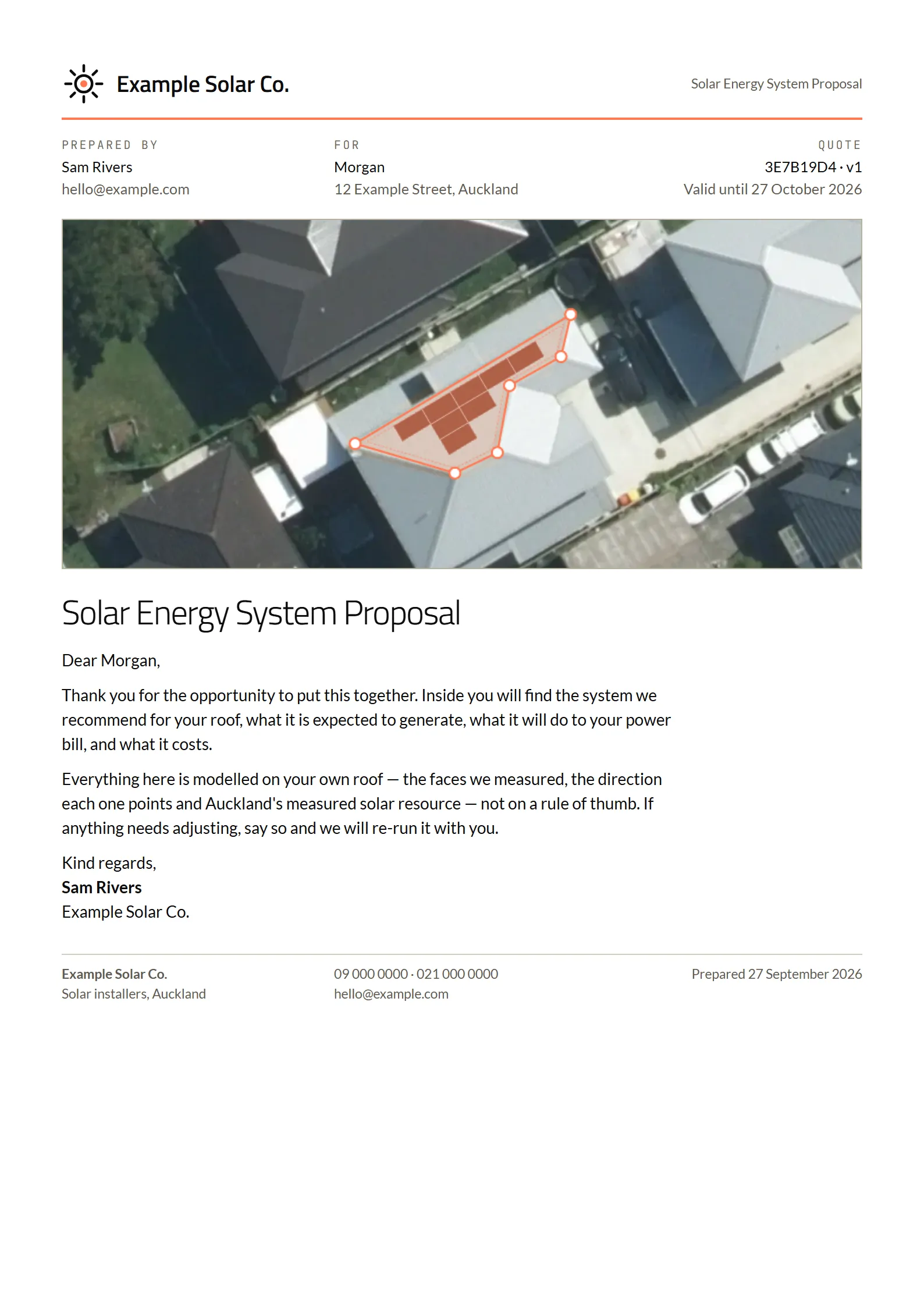
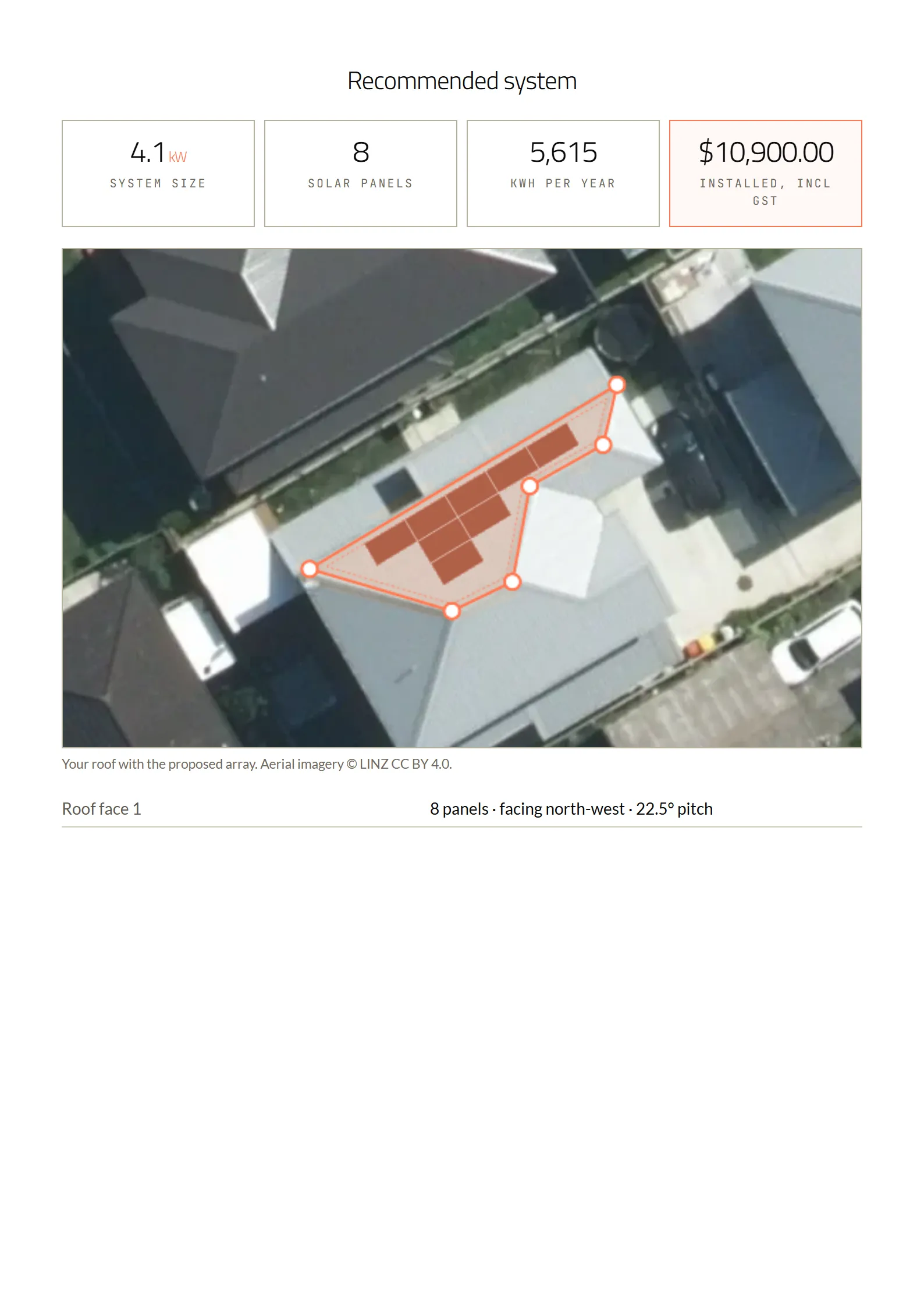
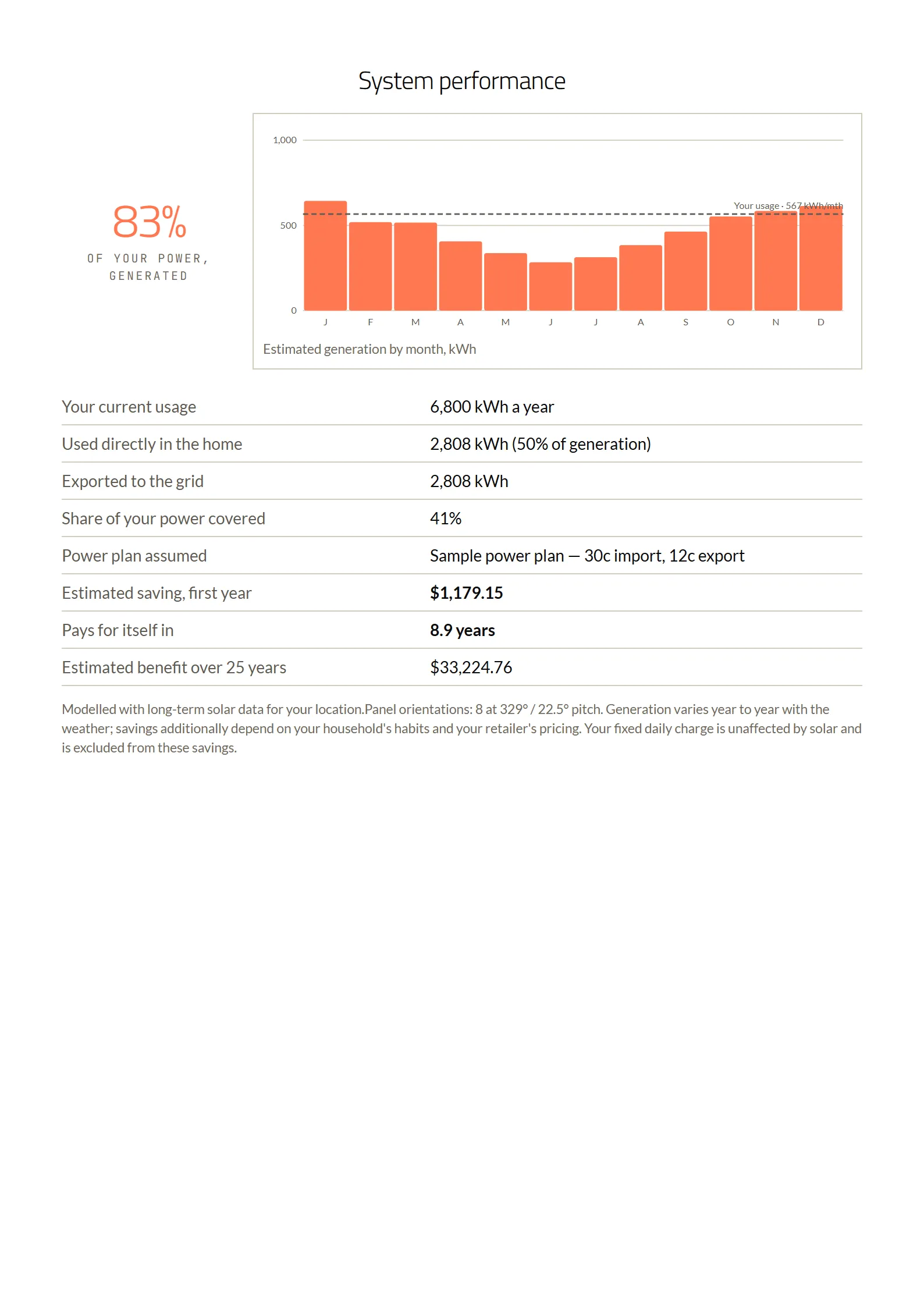
Fig. 5Proposal: letterhead and pages 1, 3 and 5 Example Solar Co. is a sample brand -
Quote here. Win it in Fergus.
When we set you up, we load your Fergus price book into your catalogue. When the quote’s ready, one click puts it into Fergus.
When the customer accepts in Fergus, Solar Designer marks the quote accepted. Invoicing stays in Fergus, where it already is.
If Fergus is unreachable part-way, the push picks up where it stopped and never creates a duplicate.
One click-
Customer created
Morgan
-
Site created
12 Example Street, Auckland
-
Job created
Solar installation, 4.1 kW
-
Quote added
Equipment and labour sections, valid for 30 days
-
Proposal attached
The PDF proposal, on the job
-
Quote published
Ready to send from Fergus
Later, in Fergus
-
Customer accepts the quote
Solar Designer marks it accepted automatically
Fig. 6Push to Fergus Sample job, as Solar Designer runs it -
Private by default.
Solar Designer runs in the cloud and in the browser, so there’s nothing to install and nothing to patch.
- Every screen sits behind staff sign-in.
- Strong passwords, never stored as plain text.
- Each installer gets its own private deployment and database, shared with no one.
- Proposal links are signed and expire within minutes.
- Your data is locked down in the database as well as in the app.
- Every form and upload is checked before it’s saved.
Made here. Supported here.
Solar Designer is built and supported in Auckland by the people who wrote it.
How set-up works
- We set it up in your brand, on your own web address.
- We load your catalogue from your Fergus price book, with your labour rates and New Zealand power plans.
- Your team signs in and starts quoting.
Made for New Zealand from the ground up: LINZ imagery, New Zealand retailer power plans, GST, and New Zealand’s own emissions factor for the carbon figures.
Everything else in the box
- Inverter recommendation
- The best-priced inverter from your catalogue that suits the array, and a hybrid when there’s a battery.
- Battery suggestion
- A battery from your catalogue suggested for the household’s daily use. Add it and self-consumption is adjusted to match.
- Power plans
- New Zealand retailer plans kept in the app, or the rates off the customer’s own bill. A plan not checked in 90 days is flagged.
- Quote checks
- A warning when the price per watt is out of range, labour isn’t booked or mounting is missing from the quote.
- Itemised internal quote
- Equipment, extras and labour hours, with GST and margin, for your eyes only.
- Your catalogue
- Panels, inverters, batteries, EV chargers, mounting and accessories, each with a SKU, warranty and proposal description.
- Carbon figures
- Tonnes of CO₂ saved a year and over 25 years, using New Zealand’s own emissions factor.
- Made for the iPad
- Large touch targets, inputs that don’t zoom the page, and the roof kept in view while you work.
Common questions
What is Solar Designer?
Does Solar Designer lay out the panels automatically?
Can I change the angle of the panels?
How does Solar Designer calculate solar output?
What’s in the customer’s business case?
What does Solar Designer send to Fergus?
Can Solar Designer carry my own branding?
Where does the aerial imagery come from?
Does it size inverters and batteries?
Does it work on an iPad?
Is our data secure?
Does Solar Designer model shading?
How much does Solar Designer cost?
Book a demo
We’ll take a job from address to Fergus quote with you, and talk through setting Solar Designer up in your brand.
What happens next
- Send the form.
- We reply by email to set a time.
- We walk you through a job, then talk pricing and set-up.
Need something built to order? We make custom apps too.
Start a project